SIP Caller ID
This device reads the phone number of incoming calls and notifies the EPOS. It connects to your existing digital (VoIP SIP) telephone. If you still use the old analog BT line you can either ask BT for an upgrade, or use our legacy PSTN Caller ID device instead.
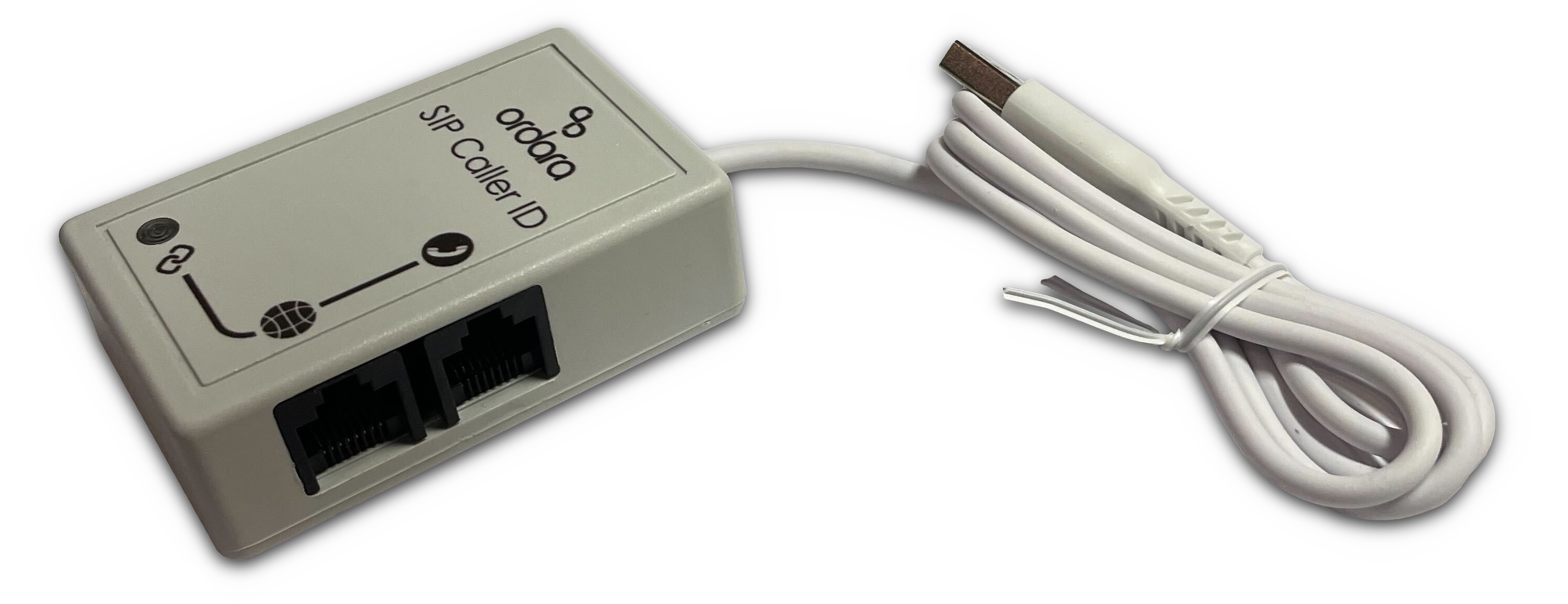
Installation
Requirements:
- Ordara SIP Caller ID module (or compatible CIDEasy S+)
- Ethernet cable
- Phone company caller ID feature enabled
Steps:
- Identify where the SIP Caller ID device should be plugged. Your broadband router will have an ethernet cable connected to either a phone, a cordless base station, or an ATA conversion device. You can install the SIP Caller ID at either end of this cable - choose which is closest to the EPOS.
- Unplug the ethernet cable from the router or telephone. Plug it into the correct port of the SIP Caller ID. If you disconnected the router end then plug it into the 📞 telephone port (as this cable leads to the telephone), if you disconnected the telephone end then plug it into the 🌐 internet port.
- Use another ethernet cable to plug the other port of the SIP Caller ID to the router or phone where you disconnected the old cable. The SIP Caller ID now sits between the two devices.
- Plug the USB cable from the SIP Caller ID into the EPOS computer, alongside the other USB Type A connections.
- Open the administration console in the EPOS software.
- Choose "Ordara Settings" on the left. Then select the "Caller ID" tab at the top.
- Set the device type to "HID".
- Save settings.
- Reboot the EPOS.
Now the EPOS will receive and display the calling number when the telephone rings.
FAQ
How can I connect it to my cordless digital telephone?
Find the cordless base station for your handsets. Sometimes this is different to the charging base station. It will have an ethernet cable connected to your broadband router.
Can I use this SIP Caller ID on Power-over-Ethernet handsets?
Yes. Power will reach the handset as normal. The SIP caller ID will still be powered via USB without interfering.
Can the EPOS use this SIP Caller ID and a Crucible Comet (analog) Caller ID at the same time?
No. The EPOS settings only allow you to use one caller ID type at a time.
Can the EPOS have several SIP caller IDs connected at the same time, for multiple phone lines/handsets?
No. In the case of multiple handsets we recommend installing one EPOS per telephone. For multiple lines it's possible for your phone company to route lines via the same handset.
Troubleshooting
The phone number shows but the address is empty?
Only the phone number is received from the telephone company. If you have used the EPOS to process a delivery order from that phone number before, then the last used address is loaded too.
Customer information from existing customers isn't loaded?
Sometimes SIP caller ID customer numbers are in a different format to the old telephone company. For example a customer who previously ordered with 01234567890 will not be recognised if the new system reports +441234567890. Use the caller ID settings page to adjust incoming numbers to match the format of previously stored ones.